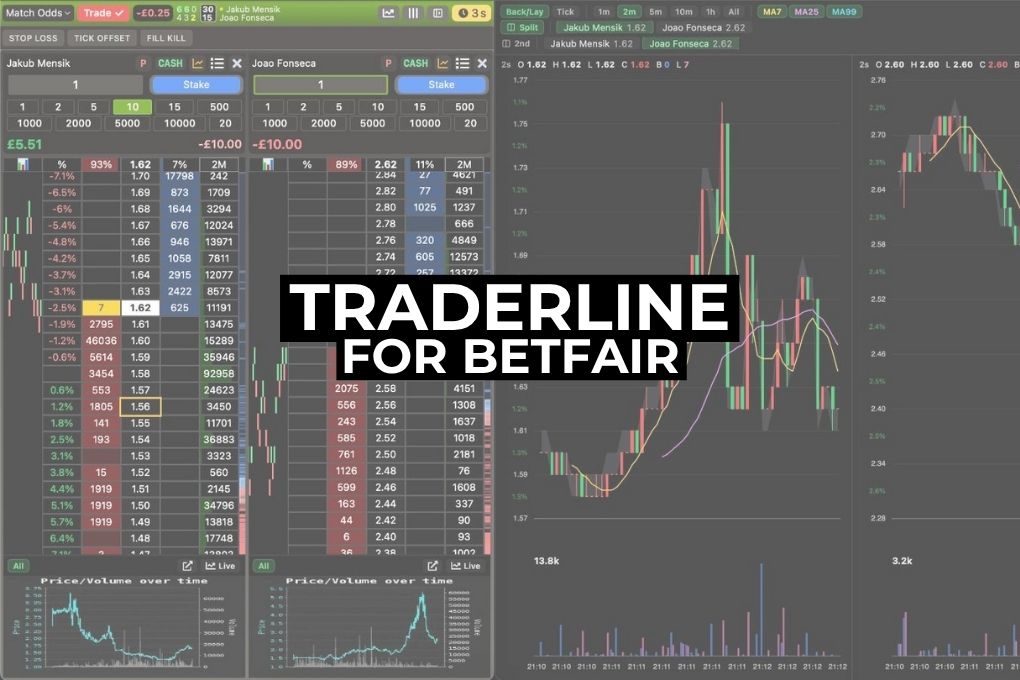
If you trade on the Betfair exchange, you know the software you use shapes how you trade almost as much as your strategy does. Speed, clarity, and a layout that stays out of the way all count. Traderline is a Betfair trading platform that has been rebuilt over the past year, and it has recently become free to use (no paywall). I have spent time with it and worked through the features to see how it holds up against the tools most of us already know. This is a balanced look at what it does well, where it sits against the established names, and who it is likely to suit.
20ms Market Updates: One of the Faster Refresh Rates I’ve Tested
Traderline for Betfair updates markets every 20 milliseconds by default, rather than as an option buried in the settings. A lot of platforms poll at 100ms or slower, so on paper that is quick. It is worth being clear about one thing here: every Betfair application is ultimately limited by the speed of Betfair’s own API, so no software can be faster than the data the exchange sends out. Within that limit, though, Traderline is one of the most responsive tools I have used.
What is interesting is how the team say they got there. According to the Traderline engineers, early in the project they built an internal benchmark that measured rendering and data latency on every code change, with a simple rule: no commit could make the software slower. Over hundreds of iterations that discipline added up. I cannot independently verify the process, but the result on screen is a platform that feels consistently fast in use.
For in-play trading, where odds shift in fractions of a second, that responsiveness genuinely matters. From what I have tested, Traderline sits among the fastest Betfair trading platforms available.
Charts Built for Trading: The Latest Release
Traderline’s most recent update, released this week, adds charting to the platform. These are not just simple price lines bolted on. They are designed for active trading, giving you a visual read on price movement, momentum, and liquidity as a market develops. This is an area where the established tools have had a long head start, so it is good to see Traderline take it seriously rather than treat it as an afterthought.
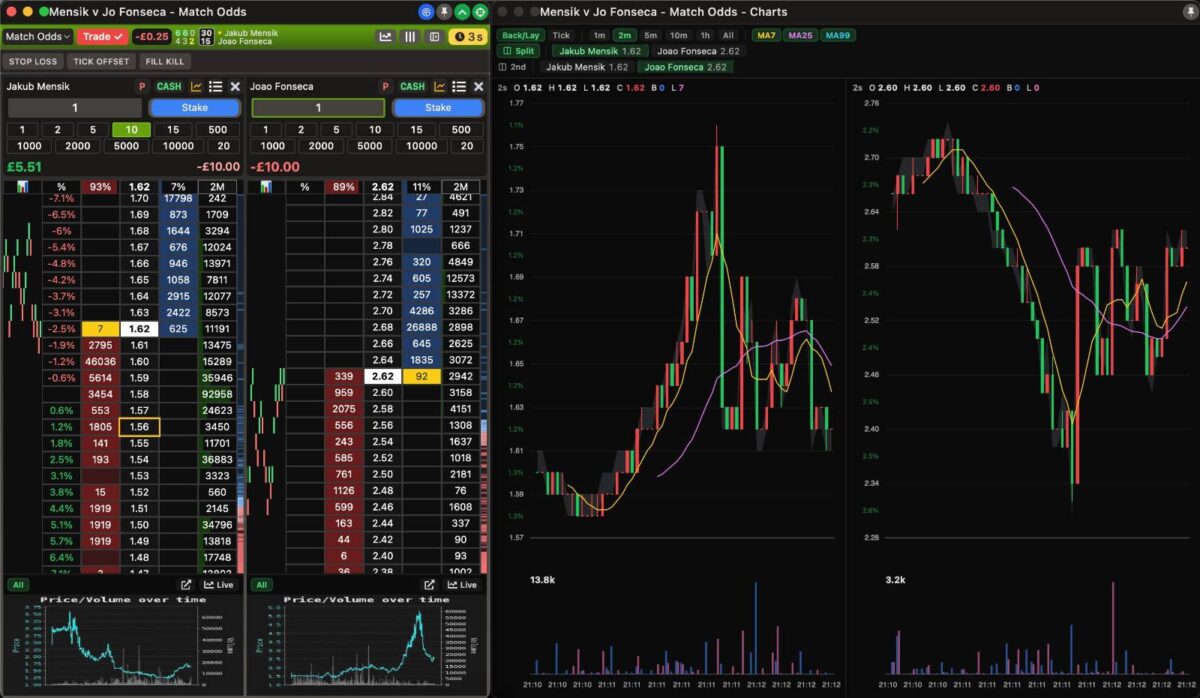
For traders who think in patterns, charts change how you read a market. You can see where money is moving, spot trends as they form, and time entries and exits with a clarity that ladders alone do not give you. Paired with the 20ms refresh rate, the charts update quickly, so what is on screen stays close to what is happening in the market. Further details are listed on the Betfair learning directory here.
No Manual Required: An Interface That Mostly Explains Itself
One thing I noticed quickly is that Traderline does not really require you to read a guide before you can use it, which is not something I can say for every platform in this space. Buttons tend to do what they look like they do, and settings are roughly where you would expect them. The learning curve is gentle, and within a few minutes I was navigating comfortably. For newer traders especially, that lowers the chance of expensive mistakes made while you are still finding your way around.
Market Navigation
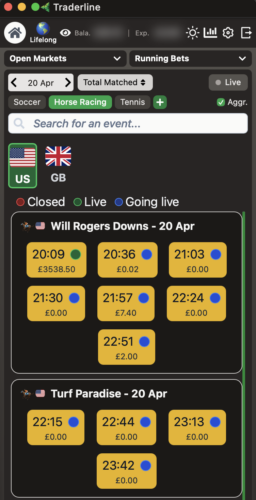
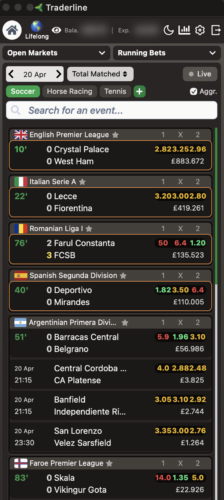
Navigation is where a lot of Betfair trading tools struggle: clicking through several menus to find a market, scrolling past events you do not care about, losing your place when switching sports. Traderline treats navigation as a core feature rather than an afterthought, and is built to get you from launch to your target market in as few clicks as possible. In practice it does this well.
P&L Analytics and Performance Tracking
Traderline tracks profit and loss across the dimensions that matter. You can break results down by sport, by market type, by day of the week, by time of day, by odds range, and more. It helps answer the questions that separate improving traders from stagnant ones: where am I actually making money, where am I bleeding it, and which markets am I trading out of habit rather than edge.
The analytics are built into the core experience and update in real time, and they surface patterns you would not easily spot from a spreadsheet or a Betfair statement. If you treat trading as a skill to develop, this kind of visibility is useful to have in the same place you trade.
Dark Mode: A Welcome Touch for Long Sessions
A proper dark mode is still surprisingly rare among Betfair trading tools, and Traderline’s is one of the better ones I have seen. That might sound trivial until you remember how many hours traders spend watching numbers move. A bright interface grinding against your eyes through a full race card is not just uncomfortable, it can wear down your focus and reaction time over a long session.
This is not a theme slapped over a light design. It is a considered colour scheme that reduces eye strain while keeping full contrast on the data that matters: odds, volumes, and price movement. It also appears to be lighter on system resources, which helps if you run multiple monitors or trade alongside other applications.
Dutching, Bookmaking and Automated Triggers
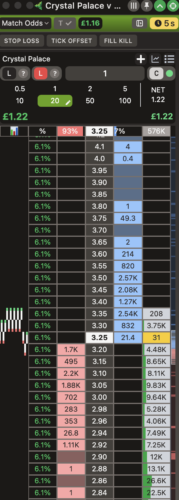
Traderline includes a solid set of trading tools. Dutching and bookmaking are built in, letting you spread risk across selections. For automated execution, the trigger system covers the essentials: tick offset, stop loss, and fill or kill. Tick offset queues a counter-trade a set number of ticks from your entry. Stop loss closes a position when the market moves against you past a defined point. Fill or kill makes sure a bet is either matched in full immediately or cancelled, avoiding partial fills.
It is fair to say this is a more focused automation set than the deepest platforms on the market, some of which offer extensive rule-based bots. But these are the tools most traders actually use day to day, and they are clearly labelled and ready from the moment you open the software.
Horse Racing Trading Features
Horse racing is where Betfair trading began, and Traderline gives it real weight. The interface organises markets by venue, displays events by time and matched volume, and provides a sidebar summary for each horse including key form data. You can scan a full race card, assess liquidity across venues, and drill into individual runners without leaving the main screen. For horse racing trading strategies, an interface designed around the sport makes a noticeable difference to how comfortably you can work.
Live Scores and In-House Statistics
Traderline provides both live scores and statistics, and as far as I am aware it is one of the few Betfair platforms that builds its statistics in-house rather than relying on a third-party feed. The advantage is fewer points of failure, since external feeds can introduce latency or simply change over time. The data covers form, head-to-head records, league standings, and performance trends, and combined with live scores in the trading interface it means less switching between tabs and websites when you are making in-play decisions.
Native macOS and iOS Apps
If you trade on a Mac, the options have historically been poor: virtual machines, Boot Camp partitions, or browser workarounds that trade performance for compatibility. Traderline is one of very few Betfair trading tools with a native macOS version, rather than a web wrapper, and it also extends to iOS for the iPhone and iPad. Cross-platform coverage like this is uncommon in the space, and useful if you want to check positions away from your desk.
The Surprising Part: It Is Now Free
Here is the part that surprised me. Everything above, the speed, the analytics, the new charts, the dark mode, the in-house statistics, the native apps, would normally sit behind a subscription. Traderline now gives all of it away for free. There is no paywall, no trial that quietly expires, and no catch I could find. You can use it for a single race card or every day for years, and come and go whenever you want. Free Betfair software usually means a stripped-back experience, so the surprising thing here is that the free version is the full product. For newer traders who do not want to commit money before they have found their feet, that takes most of the risk out of trying it.
Final Verdict: Worth a Look
As of 2026, Traderline is a capable Betfair trading platform that has come a long way. It is among the fastest I have tested, it is easy to pick up, and it does several things well, from a genuinely good dark mode to in-house statistics and native macOS and iOS apps. It is not the most established tool out there, and traders who lean heavily on deep automation may still prefer what they already know. But it is now free, which takes most of the risk out of trying it.
If you are curious, or if cost has previously kept you away from paid trading software, Traderline is an easy one to suggest taking a look at. It is built by people who trade, and that comes through in the details. The best thing to do is form your own view, and now it costs nothing to do so.
Related: Best Betting Exchanges in the UK (2026 Ranked Guide)